


Why Port St. Lucie Professional Firms Lose Critical Files
Without Ever Being Hacked
File management problems cost professional service firms in Port St. Lucie, Ft. Pierce, and Stuart thousands of dollars annually—not from cyberattacks, but from everyday work operations that cause files to vanish without warning.
The Hidden File Loss Problem Facing Professional Service Firms
If an important client file went missing this afternoon at your Port St. Lucie, Ft. Pierce, or Stuart office—a signed contract, critical tax document, legal case file, architectural plans, or survey data—would you know exactly where to look, who last accessed it, or how to recover it without pulling your entire team into an emergency search? For most professional service owners throughout Florida’s Treasure Coast, the honest answer is “not really,” and that uncertainty is the first sign that your file management system isn’t as reliable as your business requires.
Most missing files aren’t the result of cyberattacks, ransomware, or malicious hackers. They disappear during normal, everyday work operations in ways that seem invisible until it’s too late. Someone edits a document while another team member has the same file open in a different location. A well-intentioned employee reorganizes folders to “clean things up.” A laptop falls out of sync with your cloud storage system. A software update quietly changes default save locations. Nothing crashes, no error message appears, no security alert goes off—critical business files just quietly vanish from where you expect them to be.
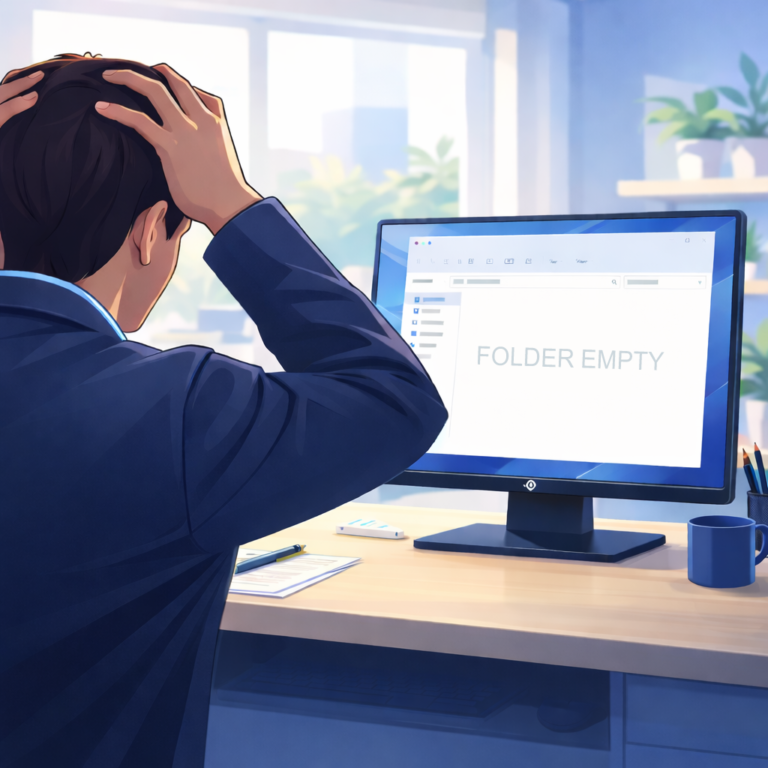

How File Loss Actually Happens in Small Professional Firms
In small accounting practices, law offices, surveying companies, architectural firms, and nonprofit organizations throughout Port St. Lucie and Fort Pierce, files are typically shared by default across the team. Client documents, project files, financial records, engagement letters, and templates are opened and edited by whoever needs them at the moment. Over time, it becomes almost inevitable that two people will work on the same file without realizing the other person also has it open. One person saves their changes at 10 AM, the other saves at 11 AM, and the later version completely overwrites the earlier one. By the time someone notices the discrepancies—perhaps hours or even days later—nobody is entirely sure which version contains the correct information, so the safest option often feels like recreating the work from memory or frantically searching through email attachments for earlier drafts.
Cloud storage solutions like Dropbox, OneDrive, and Google Drive can actually make this problem harder to spot rather than easier to manage. File synchronization happens quietly in the background, and when a device goes offline, loses internet connectivity, or experiences interrupted sync, files may appear differently depending on which computer, tablet, or mobile device you’re accessing them from. Staff respond to these inconsistencies by keeping their own local copies “just to be safe” or emailing files around to ensure everyone has the “right version.” While this feels sensible and protective in the moment, it creates multiple competing versions scattered across different devices, cloud accounts, and email inboxes—leading to even more uncertainty and confusion the next time someone needs the authoritative, final version of that critical document.
Then there’s the well-intentioned folder cleanup. As shared drives grow larger and business files become harder to locate, someone eventually decides to organize things and “clean house.” Files get deleted, moved, or merged without clear, documented rules about what’s safe to remove, what needs to be archived, and what must be preserved. Important documents—including files that seemed old or duplicative but were actually critical originals or legally required records—get caught in the reorganization and permanently deleted or moved to locations where nobody can find them when they’re urgently needed.
When Missing Files Become Serious Business and Compliance Risks
At first, lost files seem like merely an operational annoyance for busy Florida professional firms. Work slows down temporarily, staff members get interrupted from billable client work, and someone patches over the immediate problem so the workday can continue. Productivity takes a minor hit, but nothing catastrophic happens.
The real business risk and potential liability shows up later—during an IRS audit, a professional liability insurance claim, a client dispute over deliverables, a regulatory compliance review, a lawsuit requiring document production, or a disagreement about what was specifically approved, delivered, or agreed upon in writing. At that critical moment, memory and recollection don’t count as valid evidence, and neither does “we’re pretty sure we had that document somewhere.” You need the actual record, the correct and complete version, with a clear audit trail showing its authenticity and chain of custody. Without it, your professional credibility, your defense against liability claims, and potentially your license to practice could be at serious risk.
When business files live scattered across too many locations—employees’ personal laptops, various cloud storage accounts, email attachment folders, USB flash drives, old network drives, home computers—and when there’s no clear, documented rule about which version is the official final version or where authoritative records should be permanently stored, it becomes nearly impossible to confidently stand behind your own business records when they matter most. Staff members keep personal copies of important files because the centralized system feels unreliable or inaccessible. Old versions continue to exist indefinitely without clear version control. Informal workarounds and shortcuts pile up over time until nobody in the organization is quite sure what the “official” process even is anymore. That’s precisely when missing files stop being a simple operational inconvenience and start becoming a genuine professional liability that could expose your practice to significant financial, legal, and reputational consequences.

Why File Management Problems Keep Happening in Growing Businesses
Most small businesses in Port St. Lucie, Fort Pierce, and Stuart didn’t deliberately design and implement their file management systems with professional guidance—they grew into them organically and informally over time. Software tools and cloud services were added reactively as immediate needs arose or as someone read about a new solution. Informal habits and personal preferences formed around “whatever works for me right now.” Time-saving shortcuts and workarounds became permanent standard practices without anyone questioning whether they were actually sustainable or secure. Everything functioned adequately for daily operations during the early growth stages, so nobody ever stepped back to critically question whether the underlying structure was actually sound, scalable, compliant, or professionally appropriate for a regulated business.
In most professional firms, everyone in the organization touches and works with business files daily, but typically no single person or role really owns the overall structure, governance, security, and compliance of the file management system itself. There’s no clear, documented answer to fundamental questions that matter greatly during audits, disputes, or emergencies: Where exactly do final client deliverables belong? Who has the authority and training to delete shared business files? What’s the proper process when something critical needs to be recovered from backup? How long are we legally required to retain different types of documents under Florida law and our professional regulations? Which staff members should have access to confidential client files? The business ends up relying heavily on specific people’s institutional knowledge, personal memory, and good intentions rather than on reliable, documented systems, processes, and technical controls—and that approach only works reliably as long as those exact people remain continuously available and employed, nothing unexpected happens, and your business never faces serious scrutiny.

Professional File Management Solutions for Treasure Coast Businesses
This is exactly where Treasure Coast IT Solutions helps professional service firms throughout Port St. Lucie, Fort Pierce, and Stuart transform their chaotic file management into reliable, compliant business systems. When we get involved with a new client, we conduct a thorough, professional assessment of how your business files are actually being stored, shared, accessed, backed up, and protected on a day-to-day operational basis. We systematically identify where version conflicts occur and slow down your team, where unnecessary duplication has crept in and wasted storage costs, where security gaps exist that could expose confidential client data, and how truly recoverable your critical business data would actually be if something went seriously wrong tomorrow—whether that’s a ransomware attack, a hardware failure, an employee departure, or an accidental mass deletion.
From there, we systematically clean up the sprawl and chaos, implement proper professional structure around shared work and team collaboration, set up robust version control systems so multiple team members can work on documents simultaneously without overwriting each other’s changes or creating confusion, establish clear and legally compliant file retention policies based on your industry’s specific regulatory requirements, implement proper access controls and permissions so only authorized staff can view confidential files, and ensure your backup systems work reliably at the granular file level with point-in-time recovery capabilities—not just as a theoretical last resort that’s never been actually tested under real conditions.
Our goal with document management solutions isn’t to over-engineer your technology environment or disrupt your existing workflow with unnecessary complexity, but rather to strategically reduce daily operational friction, systematically eliminate unnecessary business and compliance risk, and give you complete confidence that your business records will hold up exactly when they need to—whether that’s for delivering excellent client service, meeting regulatory compliance requirements, satisfying insurance company inquiries, responding to legal document requests, or protecting your professional reputation during disputes.
Take Control of Your File Management System Today
If you’re not completely confident you could quickly locate the correct version of any critical client file, successfully restore it from backup if needed, demonstrate proper chain of custody, or prove exactly what did or didn’t happen when it matters most for your professional practice during an audit or legal proceeding, your current file management system deserves a proper professional review before a crisis forces the issue.
Treasure Coast IT Solutions specializes in helping accountants, lawyers, architects, surveyors, and nonprofit organizations throughout Port St. Lucie, Fort Pierce, Stuart, and Florida’s Treasure Coast implement reliable, compliant file management systems. We can comprehensively assess your current setup, show you exactly where the real operational and compliance risks are hiding, and recommend practical, business-appropriate changes that align perfectly with how your firm actually operates day-to-day—without disrupting your productivity or requiring your team to adopt complicated new workflows.
Get Your Free File Management Assessment
Don’t wait for a crisis to discover your critical files aren’t where you think they are. Let Treasure Coast IT Solutions assess your current file management system and show you exactly how to protect your business from preventable file loss.
Call (772) 335-2262 Today
Or click below to schedule your complimentary file management assessment.
Proudly serving professional service firms in Port St. Lucie, Fort Pierce, Stuart, Palm City, Jensen Beach, and throughout Florida’s Treasure Coast with expert managed IT services, file management solutions, data backup and recovery, cybersecurity, and IT consulting.
Schedule A Free Consultation
Are you in need of Complete Business Technology Management and Support and unsure what it will cost?
We have you covered. We provide prospective customers a FREE initial consultation which will help us to get to know what your organization needs and what you don’t!
Schedule your free consultation today!