


Is Your Web Browser Putting Your Business at Risk?
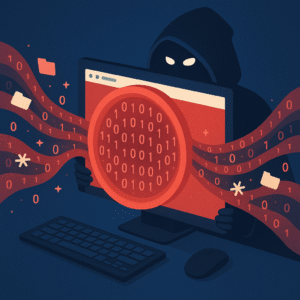
Many small business owners in Port St. Lucie, Fort Pierce, and Stuart think that if they have a firewall or antivirus software, they’re safe from online threats. But today, most cyberattacks don’t happen at the firewall—they happen right in your browser.
Yes, the same browser your employees use every day to check email, log into accounts, or do online research.
Let’s talk about what’s going wrong and how to fix it.
The Problem Isn’t the Firewall—It’s the Browser
Years ago, firewalls and antivirus software were enough to protect your business network. But now, most threats come from inside the browser.

Here’s how it happens:
- An employee clicks a link in a phishing email
- Someone visits a fake website that looks real
- A pop-up asks for a password, and they enter it
- Malware is downloaded without anyone knowing
These attacks don’t break through the firewall—they walk right through the front door by tricking your team online.

Why Traditional Security Isn’t Enough
Antivirus software and firewalls still help, but they weren’t built to stop attacks inside your browser. Many modern threats:
- Look like real websites
- Use secure (HTTPS) connections
- Don’t trigger antivirus alerts
- Work even if your firewall is strong
If your employees can browse the internet, attackers can try to trick them.
What Makes Browsers So Dangerous for Small Businesses
Small businesses often have:
- Fewer security tools
- Shared logins or weak passwords
- No IT team watching every click
- Employees who wear many hats and are busy
All it takes is one mistake. One wrong click. One fake login screen. And now, someone has access to your business email, files, or even your bank account.
How DefensX Helps Keep Your Business Safe
DefensX is a tool that protects your team where the attacks actually happen—in the browser.
It works like this:
- It runs your internet activity through a safe cloud environment
- Dangerous websites are blocked before they load
- Unknown websites open in a safe space that keeps threats away from your computer
- You get full reports on what’s happening and who might be at risk
It’s like putting a safety shield around every browser in your office—without slowing things down or making life harder for your team.
Even Safe Websites Can Be Tricked
Sometimes, real websites are hacked. Sometimes, fake ones look exactly like the real thing. That’s why smart protection doesn’t just block known bad sites—it checks everything.
DefensX helps with:
- Phishing protection (those fake emails and pop-ups)
- Preventing hidden downloads
- Warning employees before they make a risky click
- Making sure malware doesn’t touch your business systems
What Makes This Important for Treasure Coast Businesses
If you run a law office, accounting firm, nonprofit, engineering firm, or small business in Port St. Lucie, you rely on:
- Secure access to email and documents
- Client privacy
- Staff working online safely from multiple locations
The web is part of everything now. But without browser-level protection, you’re leaving your business open to trouble—even if you have good antivirus and a firewall.
A Better, Simpler Way to Stay Protected
Instead of trying to teach every employee to spot every threat (which is hard), you can put a safety net in place.
DefensX:
- Doesn’t require training
- Works in the background
- Stops browser-based attacks before they reach your systems
- Helps protect remote workers too
Whether your team is in the office or working from home, this tool travels with them and keeps them safe.
What Should You Do Next?
You don’t need to overhaul your entire system. Just take a look at where your biggest risks really are.
Start with these questions:
- Do my employees know how to spot a fake website?
- Have we had strange emails or pop-ups lately?
- Do I know what happens if someone clicks a bad link?
- Am I relying only on antivirus and firewalls for protection?
If any of that makes you nervous, it’s a good time to think about browser security.
Final Thoughts
Most cyber threats today happen right in the browser. That’s where your team works—and where attackers focus.
The good news? You don’t have to do this alone.
DefensX gives small businesses in Port St. Lucie a modern, simple, and affordable way to block browser-based attacks before they happen.
Reach out to Treasure Coast IT Solutions today to start protecting your systems from the browser out! A few smart steps now can save you time, money, and stress later.
Schedule A Free Consultation
Are you in need of Complete Business Technology Management and Support and unsure what it will cost?
We have you covered. We provide prospective customers a FREE initial consultation which will help us to get to know what your organization needs and what you don’t!
Schedule your free consultation today!