


The One Computer in Your Office That Nobody Is Watching
Managed IT and Cybersecurity for Small Businesses in Port St. Lucie, Fort Pierce, and Stuart, Florida
Walk into almost any law firm, accounting office, surveying practice, architecture firm, or nonprofit in Port St. Lucie, Stuart, Fort Pierce, or Vero Beach, and you’ll find one computer that gets touched by more people than any other in the building: the one at the front desk. Your receptionist uses it all day. So does the office manager grabbing a file, the team member covering lunch, and sometimes a client typing in their own email address. Because that computer belongs to everyone, it usually belongs to no one — and that’s exactly why professional service firms across the Treasure Coast need IT support in Port St. Lucie that treats front desk security as seriously as server security.
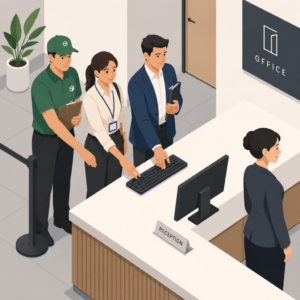
Your receptionist uses it all day. So does the office manager grabbing a file, the team member covering lunch, and sometimes a client typing in their own email address.
Why Front Desk Computers Slip Through the Cracks
Front desk computers pick up software over the years without anyone deciding to add it — a delivery company’s sign-in app from an old vendor, a browser add-on for printing labels, a driver for a printer you replaced two years ago. Updates get delayed because the desk needs to stay open, and nobody circles back to finish them. Antivirus software might be running, but chances are no one is monitoring it. For law firms, CPA offices, and other professional service firms handling client records, that gap in oversight is more than an inconvenience — it’s a compliance and liability risk.
What Your Shared Computer Remembers (and Who Can See It)
That computer probably knows more than you think. Every time someone logs into a supplier portal, a booking system, or an accounting tool and clicks “remember me,” the login stays saved in the browser — and browser password storage was built for individual convenience, not business security. Add old invoices, client files, and quotes sitting in the downloads folder, and a single unattended workstation holds a surprising amount of sensitive information. Many of these machines also carry broad access to shared drives, simply because it was easier to grant full access once than to set permissions up correctly.
Managed IT Services in Stuart, Fort Pierce, and Vero Beach Should Cover This Machine
Most computers in an office are only touched by staff. The front desk is different: delivery drivers, visitors, and clients all end up in front of that screen, sometimes without much supervision. Handing someone the keyboard to type in their email feels harmless, and usually it is — but it adds one more layer of exposure to a machine that may already be behind on updates and full of saved logins. The screen itself is a risk too, since anyone walking through your lobby can see what’s on it if it’s left unattended. Law firms in particular are held to a higher standard here, and workstation security is a standard line item in law firm cybersecurity best practices.
The fix isn’t complicated. That front desk computer needs the same care as every other device in your office: regular updates, an accurate list of what software is installed, browser logins cleared on a schedule, and permissions that match what the job actually needs — the same baseline CISA recommends for small businesses. If you already work with a managed IT provider, ask whether that machine is on their list. If you don’t, this is a good place to start. Treasure Coast IT Solutions provides IT support in Port St. Lucie, Stuart, Fort Pierce, and Vero Beach for law firms, accounting firms, engineering and architecture firms, surveyors, and nonprofits — give us a call or book a free consultation below and we’re happy to take a look.
Schedule A Free Consultation
Are you in need of Complete Business Technology Management and Support and unsure what it will cost?
We have you covered. We provide prospective customers a FREE initial consultation which will help us to get to know what your organization needs and what you don’t!
Schedule your free consultation today!
Frequently Asked Questions
Why is a front desk computer a bigger security risk than other office computers?
Because more people use it with less oversight — staff, visitors, delivery drivers, and sometimes clients — while it often runs outdated software and stores saved logins nobody is tracking.
What’s the fastest way to check if our front desk computer is a risk?
Look for saved browser passwords, an out-of-date antivirus status, and drive or file permissions broader than the role actually needs. A managed IT provider can audit this in under an hour.
Do law firms and accounting firms need to secure this computer differently than other machines?
Yes. Firms handling client records and financial data are held to higher confidentiality standards, so front desk workstations should follow the same access controls and update schedule as every device that touches client information.
How often should front desk computer security be reviewed?
At minimum quarterly. Software inventory, browser logins, and permissions all drift over time, especially on a machine several people use every day.
