


5 Business Passwords You Can't Afford to Lose
Managed IT and Cybersecurity for Small Businesses in Port St. Lucie, Fort Pierce, and Stuart, Florida
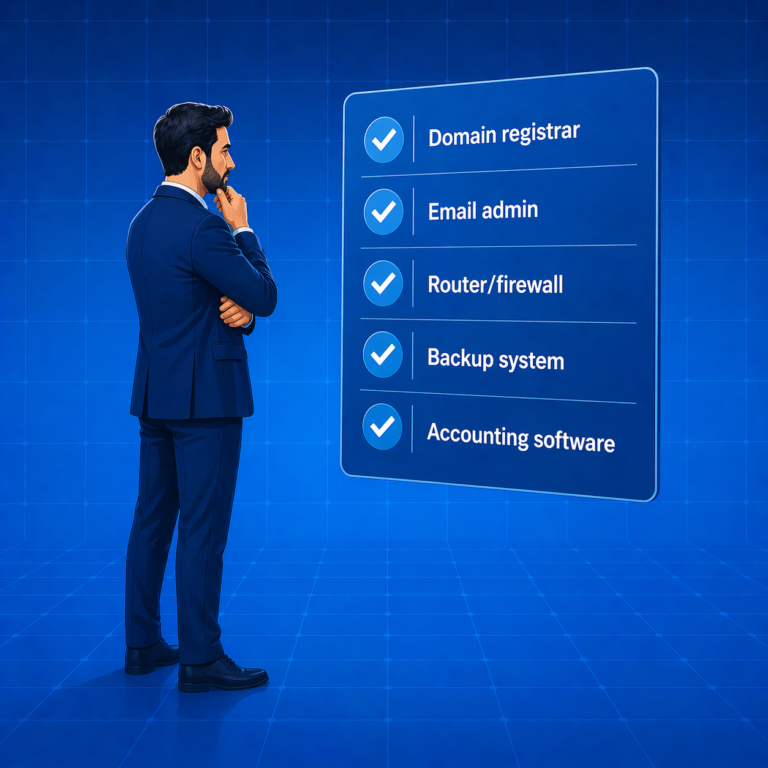
There are five accounts sitting quietly in the background of your business right now. You probably haven’t thought about them in months — maybe years. They don’t come up in the day-to-day, and that’s exactly the problem. For accountants, attorneys, engineers, surveyors, architects, and nonprofits across Port St. Lucie, Stuart, Fort Pierce, and Vero Beach, these five accounts control whether your website stays up, your email keeps working, and your data can be recovered when something goes wrong. Losing access to any one of them can stop your business cold. The good news is that a simple password security checklist for small businesses — reviewed once a year — is all it takes to stay ahead of it.
The 5 Critical Business Accounts You Need to Control
The first is your domain registrar — the account that controls your company’s website address. Whoever holds that login controls your domain, and because most business email runs through the domain, losing access means your website and your email go offline at the same time. This account is commonly set up by a web developer or a former office manager and then forgotten. The second is your email administration account — not your personal login, but the global admin account for your Microsoft 365 or Google Workspace platform. This is the account that adds and removes users, resets passwords, and controls who can access what. A former employee who was never removed from shared mailboxes is a problem only the admin account can fix. According to CISA’s cybersecurity best practices guidance, controlling administrative access is one of the most important steps any organization can take to reduce its exposure. Third is your router and firewall admin password. Most professional firms never touch it — which is exactly why it’s dangerous. A factory reset without the password wipes your entire network configuration: firewall rules, shared drive access, custom security settings, all of it. Rebuilding that without documentation is a slow, expensive process.


Backup Access and Accounting Software: The Two Most Overlooked Accounts
The fourth account is your backup system. Whether your backups run to the cloud or a local device, there is an account that manages them. That account is where someone goes to verify backups are completing — and, more critically, to restore files when something goes wrong. If you experienced a ransomware attack or a failed hard drive today, do you know who would log in to start the recovery? If the answer involves a former employee, a previous IT provider, or a vague sense that someone set it up once, the recovery cannot start until the access problem is resolved. The FBI’s 2023 Internet Crime Report shows ransomware continues to be one of the costliest threats to small businesses — and backup access is the difference between a one-day disruption and a catastrophic loss. The fifth account is your accounting software. Most firms log in daily, so the day-to-day password is not the issue. The issue is who owns the account. Bookkeepers and outside accountants frequently set up accounting platforms and retain administrator access. If that relationship ends — or simply drifts — someone outside your firm may have more control over your financial records than you do. That is worth checking today.
You Shouldn’t Have to Track All of This Yourself
Domain renewals, firmware updates, backup monitoring, credential records — this is what a managed IT provider handles so you don’t have to. At Treasure Coast IT Solutions, we serve accounting firms, law offices, engineering firms, surveyors, architects, and nonprofits across Martin, Saint Lucie, and Indian River Counties. We maintain a secure register of your critical credentials and make sure access is always held by the right people — not whoever happened to set things up years ago. If working through this checklist raised questions you don’t have good answers to, that’s worth a conversation. Give us a call at (772) 335-2262 or schedule a free consultation below. We’re easy to talk to.
Schedule A Free Consultation
Are you in need of Complete Business Technology Management and Support and unsure what it will cost?
We have you covered. We provide prospective customers a FREE initial consultation which will help us to get to know what your organization needs and what you don’t!
Schedule your free consultation today!
Frequently Asked Questions
What passwords should every small business owner control?
Every small business should maintain direct control over five critical accounts: your domain registrar, your email administration account, your router or firewall, your backup system, and your accounting software. Losing access to any one of these can stop your business from operating.
What is the difference between a regular email login and an email admin account?
Your personal email login only accesses your own mailbox. The email admin account — in Microsoft 365 or Google Workspace — controls the entire platform. An admin can add or remove users, reset any password, manage shared mailboxes, and control what staff can access. Without it, none of those changes are possible.
What happens if a small business loses its router or firewall password?
A factory reset wipes every custom configuration on your network — firewall rules, device access settings, shared drive connections, and security controls. Rebuilding from scratch without documentation can take hours or days, leaving your network non-functional in the meantime.
What should I do if my former bookkeeper still has admin access to my accounting software?
Log into your accounting platform and review account ownership settings. If a former bookkeeper or outside accountant is still listed as the account owner or administrator, transfer ownership to a current principal of the business. If you cannot access those settings, contact the software vendor directly.
Why should professional service firms use a managed IT provider to track credentials?
A managed IT provider maintains a secure, documented record of all critical business credentials — domain logins, email admin accounts, firewall passwords, backup access, and software ownership. They also monitor renewal dates and access rights so nothing lapses or falls into the wrong hands when staff turns over. The FTC’s cybersecurity guidance for small businesses recommends exactly this kind of ongoing credential management as a foundational security practice.